
Subagents is an Enterprise edition feature. See pricing for details.
Investigation subagent
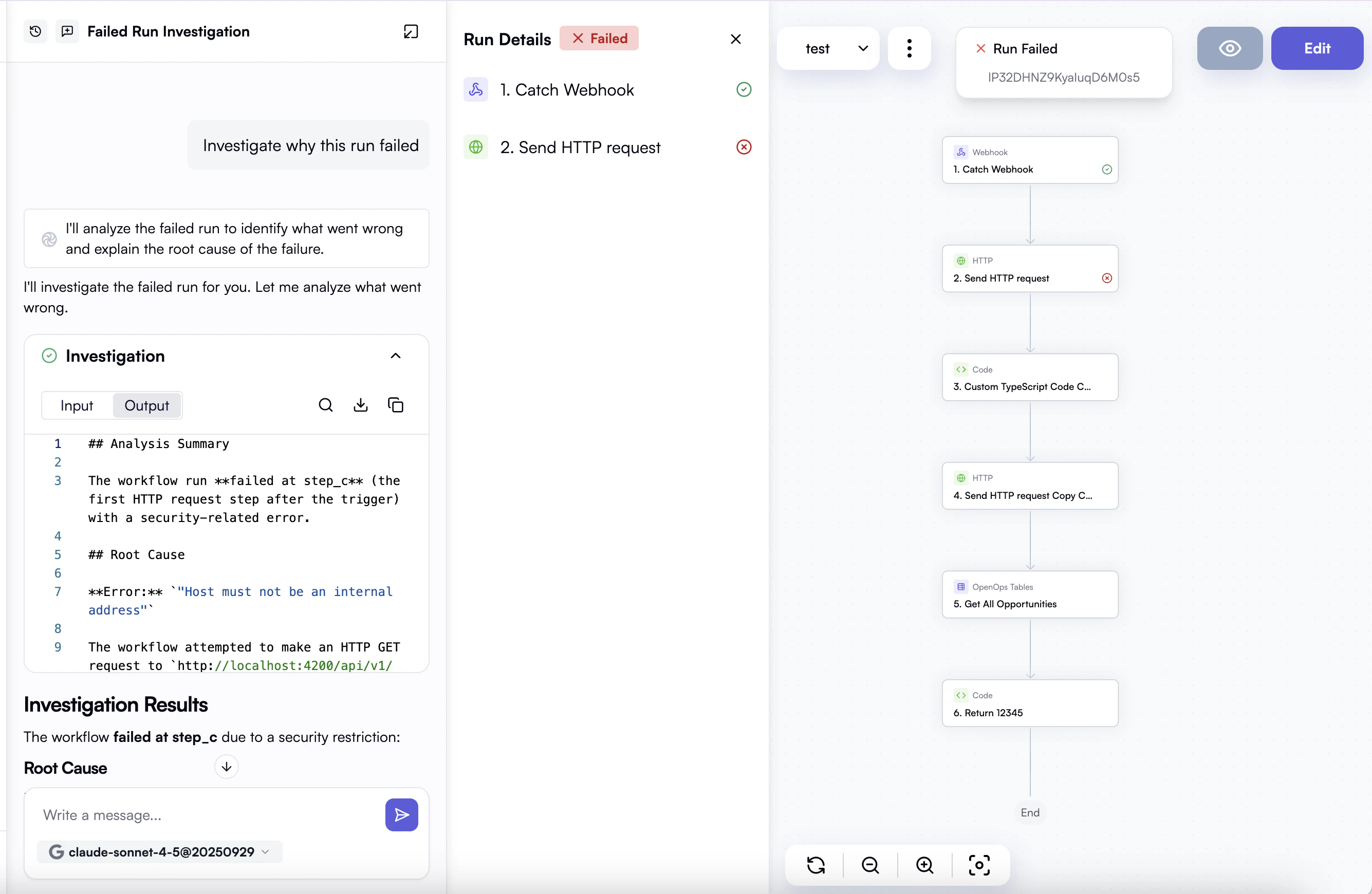
The first available subagent is the Investigation agent. It analyzes workflow execution data to help you understand why a workflow run failed, behaved unexpectedly, or performed poorly. The investigation subagent can help you:- Diagnose failures — identify which step failed, why it failed, and what the error means.
- Trace unexpected behavior — follow data through each step to explain why a workflow produced an unexpected result.
- Spot performance issues — find bottlenecks or steps that took longer than expected.
Using the investigation subagent
The investigation subagent is available as a tool inside the OpenOps AI chat interface. To start an investigation:- Open the AI chat in your OpenOps environment.
- Describe the issue you want to investigate — for example: “Why did this workflow fail?” or “The last run produced unexpected output in the final step, can you check what happened?”
- Provide the workflow run ID you want to analyze.
- The agent runs in the background and streams progress updates as it works. When complete, it returns its findings directly in the chat.