

Available Stacks
OpenOpsApp Role Stack
Creates theOpenOpsApp role with permissions to run workflows from the OpenOps template catalog. The stack contains all the read permissions needed to execute all templates in our library; you can still restrict the scope to the permissions needed for the templates you are actually running. Write permissions are optional and only needed if you want to apply remediation actions directly to cloud resources.
Create OpenOpsApp stack | Download template
Parameters: AWS account ID, permission sets (optional)
Benchmark Role Stack
Creates a read-onlyOpenOpsBenchmarkRole specifically for running AWS cost optimization benchmarks. Includes Compute Optimizer permissions, resource read access (EC2, RDS, ELB, DynamoDB, CloudWatch, Cost Explorer, CloudTrail), and Pricing API access.
Create Benchmark stack | Download template | View on GitHub
Parameters: TrustedAccountId (required), ExternalId (optional, recommended for security)
Installation Steps
- Click the Create stack link for your desired stack above.
- On the Specify stack details page, enter the required parameters, then click Next.
- On the Configure stack options page, click Next.
- On the Review and create page, scroll down to the Capabilities section and acknowledge the creation of IAM roles:
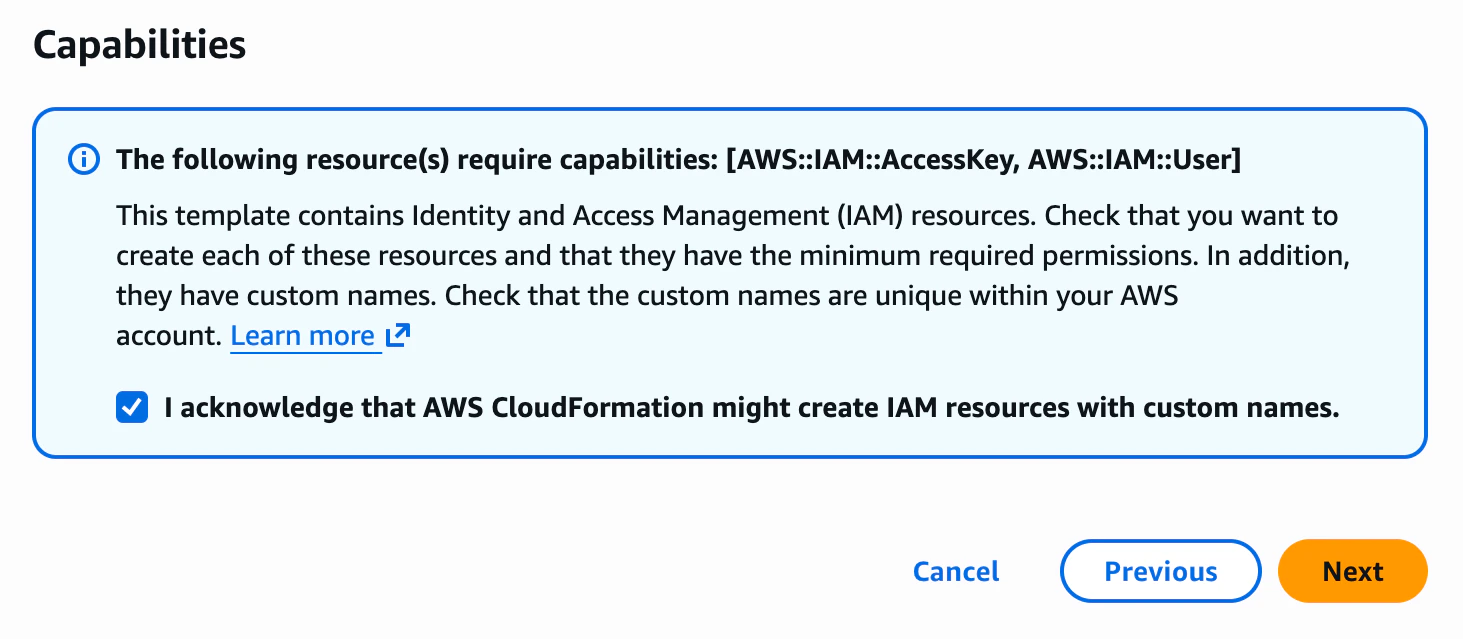
- Click Submit. The stack will be created with the configured permissions.
us-east-1 region.